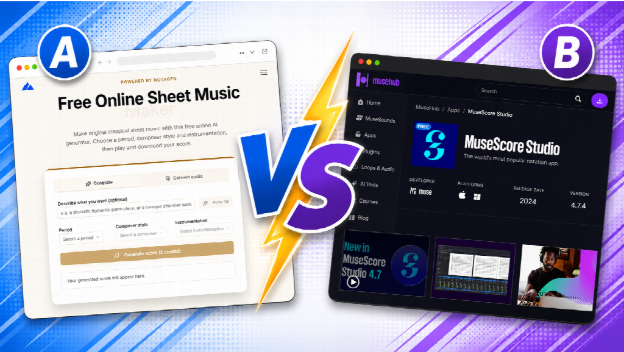
Anyone searching for free notation software runs into MuseScore within the first few results, and for good reason. It is a mature, full-featured desktop editor with a massive user base and a huge library of shared scores. NotaGen shows up in a different kind of search, usually from people trying to turn a recording, a scanned page, or a vague musical idea into notation without installing anything. The two tools solve overlapping but distinct problems, and comparing them directly is more useful than treating one as a replacement for the other.
This is not a case of picking a winner. MuseScore Studio and NotaGen are built around different starting points, and knowing which one matches your actual task will save more time than reading a feature list.
What MuseScore is built for
MuseScore Studio is a free, open source desktop notation editor. You install it on Windows, Mac, or Linux, and it gives you a complete score-writing environment: palettes for every notation element, support for large orchestral and band scores, a mixer, and playback through sample libraries. It has been developed for years and has a community around it that shares arrangements, plugins, and tutorials, which matters when you get stuck on something specific like cross-staff beaming or a complicated key change.
Because it runs natively on your machine rather than in a browser, MuseScore can handle large, complex scores without the memory constraints a web app runs into. If you are writing a full symphonic score, a marching band arrangement, or anything with dozens of staves, this is where the depth shows. Note input is fast once you learn the keyboard shortcuts, and the engraving output, while it takes some manual adjustment for publication-level polish, is solid for rehearsal and performance parts.
The tradeoff is that MuseScore asks for an install and a bit of a learning curve before you are productive. It is also, fundamentally, a blank-page tool: you are placing notes yourself, whether by mouse, MIDI keyboard, or step input. That is exactly what a composer or arranger wants. It is not what someone wants who is starting from a recording or a photo of sheet music rather than a blank score.
What NotaGen is built for
NotaGen is a browser-based toolkit rather than a single editor. Instead of one application you open and work in for hours, it is a set of focused web tools, each aimed at getting you from some other starting point (an idea, an5 audio file, a scanned page, a MIDI file) to usable notation, with no install and no local software footprint.
The AI generation side lets you produce an original, classical-style score guided by period, composer influence, or instrumentation, useful for sketching an idea or generating practice material rather than transcribing a specific existing song. The audio-to-sheet-music pipeline takes a recording and converts it into an editable score; it works best on piano and solo instrument audio, and is honest that a full band mix needs manual cleanup after conversion rather than producing a perfect transcription automatically. The sheet music scanner does the reverse of printing: point it at a photo or PDF of printed sheet music and it produces MusicXML or MIDI you can then edit. Alongside these sit smaller conversion tools for quick MIDI, ABC, and PDF exchanges.
NotaGen’s core utility tools are free and run client-side in the browser. The AI-driven generation and audio transcription features use a credit-based system, which is standard for anything that calls a model behind the scenes rather than running instantly on your device.
Where NotaGen does not compete with MuseScore is depth of manual engraving control. It is not trying to be the tool you use to hand-place every slur and dynamic marking across a forty-page orchestral score. It is trying to be the fastest way to get from something that is not notation yet (a recording, a photo, an idea) into something that is.
Head to head comparison
| MuseScore Studio | NotaGen | |
| Runs where | Desktop install (Windows, Mac, Linux) | Browser, no install |
| Best at | Manual score writing, large ensemble scores | AI generation, audio to notation, scanning printed scores |
| Note input | Mouse, MIDI keyboard, step input | AI generation, audio conversion, scan conversion, basic manual editing |
| Community and resources | Very large, long-established | Growing, tool-focused |
| Handles large orchestral scores | Yes, this is a core strength | Not its focus |
| Converts audio recordings to notation | No built-in feature | Yes, dedicated pipeline |
| Converts scanned or photographed scores | Limited (via plugins) | Yes, dedicated OMR scanner |
| Export formats | MusicXML, MIDI, PDF, and more | MusicXML, MIDI, ABC, PDF |
| Cost | Free, open source | Free tools, credits for AI and transcription features |
Choose MuseScore if
You are composing or arranging from scratch and want full manual control over every element of the score. You are writing for a large ensemble, a marching band, or a film score with many staves. You want the deepest community of shared scores, plugins, and troubleshooting help. You do not mind installing desktop software and are comfortable with a real learning curve in exchange for that depth.
Choose NotaGen if
You are starting from something other than a blank page: a recording you want turned into notation, a photo or PDF of printed sheet music you need as an editable file, or an idea you want an AI to sketch out in a classical style. You want to work entirely in a browser with no install, on whatever computer you happen to be using. You need a quick conversion between formats like MIDI and MusicXML without opening a full editor. You are fine with a credit system for the AI-powered features while using the free utility tools as needed.
Many people use both
In practice, these tools are complementary rather than exclusive, and a common workflow uses both in sequence. Someone might record a melody on their phone, run it through NotaGen’s audio-to-notation pipeline to get a rough MusicXML file, then open that file in MuseScore to fine-tune articulations, add dynamics, and format it for printing or performance. Someone else might scan an old, out-of-print piece of sheet music with NotaGen’s scanner to get an editable digital copy, then clean up the engraving in MuseScore before sharing it with a group.
This pairing plays to each tool’s strength: NotaGen handles the conversion step that MuseScore is not built for, and MuseScore handles the deep manual engraving that a browser tool is not trying to replace. If your workflow starts with a recording, a photo, or a rough AI-generated draft, doing that first step in NotaGen and exporting to MusicXML before finishing in MuseScore is usually faster than trying to force either tool to do the entire job alone.
FAQ
Is NotaGen a replacement for MuseScore?
Not directly. NotaGen is strongest at getting you from audio, a scanned page, or an AI-generated idea into notation, while MuseScore is strongest at manual score writing and engraving, especially for large or complex ensemble scores. Many people use NotaGen for the conversion step and MuseScore for the final polish.
Which one is better for a full orchestral score?
MuseScore. Its desktop engine is built to handle many staves and complex arrangements, and its manual note input and formatting tools are designed for exactly that kind of large-scale, from-scratch composition work.
Can I move a file between NotaGen and MuseScore?
Yes. NotaGen exports to MusicXML and MIDI, both of which MuseScore imports natively, so a score generated, converted from audio, or scanned in NotaGen can be opened and edited further in MuseScore.